


If you find yourself typing out the same email messages again and again—or worse, copying and pasting the same text from a document into email messages again and again—boy, do I have a treat for you today.
I’m going to show you how to save create and save Gmail message templates that you can use to send out and reply to emails in just a few clicks. No more copying, pasting, or typing. I’ll then show you how you can use filters and templates to automatically respond to emails.
It’s easy! Here we go.
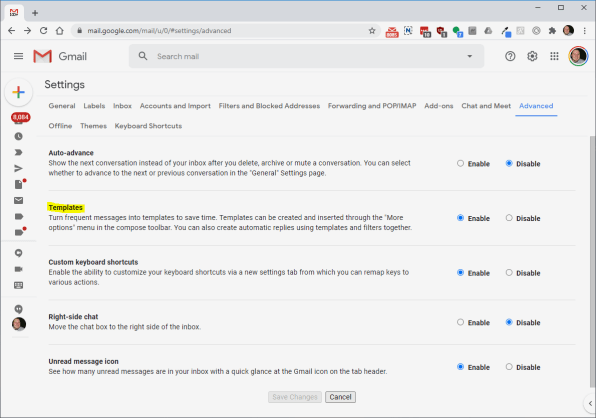
1. Enable templates if you haven’t already
Let’s first ensure that the templates feature is good to go in your particular Gmail experience. Visit Gmail on a computer—this doesn’t work in Gmail’s mobile apps, unfortunately—and click the gear icon in the upper-right corner, then click the “See all settings” button.
From there, navigate to the “Advanced” section and enable the Templates feature if it’s not already enabled. Then click the “Save Changes” button…
Read More…
Source : fastcompany.com
Source link