



You’ve just wrapped up your ten-thousandth Zoom meeting to little fanfare. No balloons dropping from the ceiling. No confetti. No airhorns.
No, nothing but the satisfaction of knowing that thanks to a global pandemic and recent advancements in video telephony, you are now officially a Zoom pro.
And while we’ve already covered basic Zoom tips, here’s a look at some fancier features meant for power users such as yourself.
Immersive View
Not content to let Microsoft Teams users have all the fun with Together Mode, Zoom has its own auditorium-style Immersive View feature.
Capable of displaying up to 25 participants in various environments, perhaps the biggest knock against the feature is that it’s only enabled by default for free and single-user Pro accounts—which means those of us who use enterprise flavors of Zoom at work are left out of the fun unless we can convince IT to turn the feature on manually.
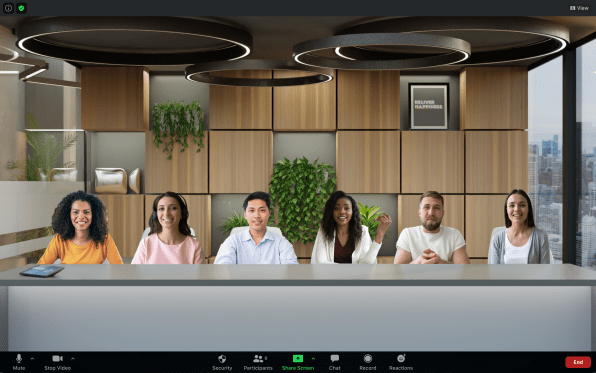
If your account is set up for it, though, and you’re hosting a meeting, you…
Read More…
Source : fastcompany.com
Source link